It is a data security technique that involves replacing sensitive card information with unique, non-sensitive data elements called token.
Cardholders can perform transactions using their smartphones with a simple tap on the POS terminal.
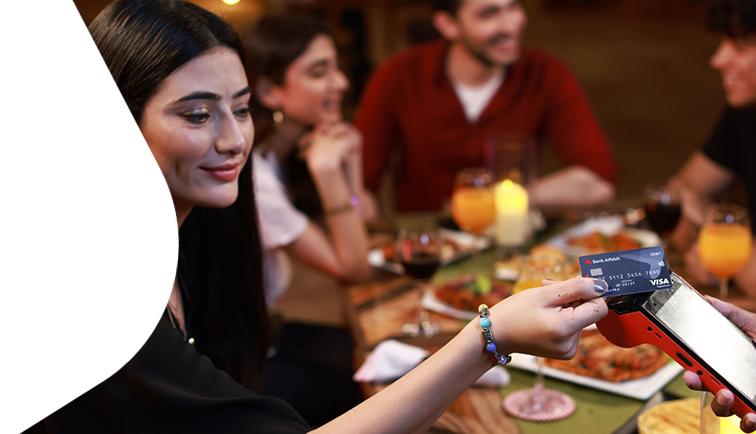
Bank Alfalah has moved to a new level of customer convenience with the introduction of Bank Alfalah Tap and Pay – a new platform that enables you to use Contactless technology and Chip & PIN feature on your card.
Contactless transactions do not require you to swipe your card or enter your PIN code (unless above the payment threshold) into the POS machine, thus you don’t need to hand over your card to someone else to make payments.
With Contactless Cards you can make easier and secure payments by simply tapping your card on any Contactless POS machine where contactless  is visible. It will enable you to experience the following benefits:
Speed – Enjoy the life in fast lane by making your purchases in just a few seconds.
Convenience – Tap to pay at merchants, including convenience stores, supermarkets, etc.
Transactional Security – Latest encryption technology on the card protects your payment information at POS terminal.
To make a Contactless transaction, simply follow the three steps below:

For transactions above PKR 3,000, a secure 4-digit PIN is required. This applies to local transaction only. For international contactless (NFC) transactions, PIN-less limits may vary by the merchant's bank and local country regulations.
Disclaimer
Keep your card secure and report loss/theft immediately. Bank Alfalah is not liable for misuse due to sharing details or delayed reporting.
Your Bank Alfalah Card now comes with contactless technology, for more convenient transactions. Contactless transactions do not require you to swipe your credit card or enter your PIN code (unless above the payment threshold) into the POS machine, thus allowing you to make payments faster and easier as well as reducing the need for you to carry cash.
Contactless technology also allows you keep your card more secure as it never has to leave your hand when making a payment at the POS machine.
Contactless payments are easy. Customers simply tap their contactless card on the POS terminal. They are fast and convenient to use in places where customers need to pay on the go.
 the POS machine
You should hold the contactless card to the contactless-enabled checkout terminal for 1-2 seconds.
Yes. If they don’t see the Contactless Symbol, they can still use their contactless card at Chip and PIN enabled terminal by inserting their card and entering PIN. Bank Alfalah Cards are enabled with both Chip & PIN as well as Contactless technology.
Yes, contactless cards can be used on all Contactless enable terminals within or outside Pakistan.
If you have lost your card or suspect unauthorized activity on your account, contact at 111 225 111.
No. The technology behind tapping to pay requires the merchant to initiate the payment. Next, the contactless card must be tapped or held within 1 – 2 inches of the contactless-enabled terminal in order for a transaction to take place.
Contactless card is simple and convenient, merchants that accept contactless do not require you to sign for small purchases (PKR 3,000 or below). However, for your protection, purchases over PKR 3,000 generally require a signature or PIN.
Yes, it is now mandatory to issue a 4-digit PIN at the time of card activation for Credit Card. In case of debit cards, it was already mandatory in order to be used at ATM.
Yes, ATM PIN and your own Personal Identification Number (PIN) required for POS transactions are same.
You can make a contactless transaction without PIN (for purchases up to PKR 3,000) at any merchant where the POS machine is displaying a contactless symbol.
Your new Bank Alfalah card is now enabled with Contactless technology, look for embedded sign on your Bank Alfalah Cards.
If it is a transaction at contactless terminal, PIN shall only be required upon a transaction of PKR 3,000* and above (this limit shall vary from bank to bank).
If the POS machine is enabled for PIN authentication, you will need to enter your card PIN to complete the transaction.