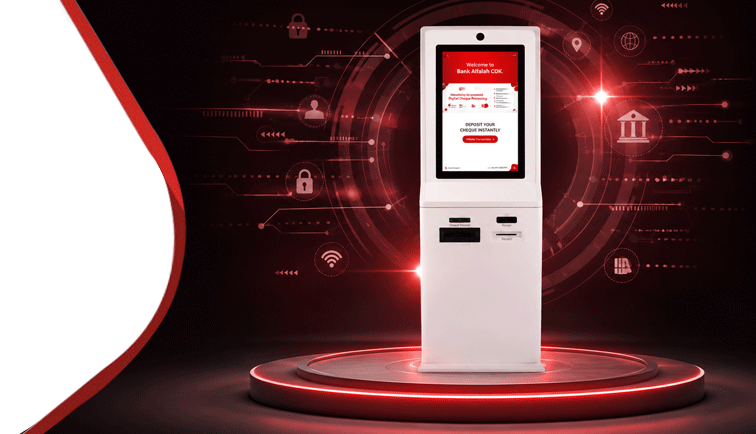
"Pakistan's First AI-Powered Digital Cheque Deposit Kiosk: Transforming Traditional Cheques into an Intelligent, Self-Service Banking Experience"
In 2025–26, Bank Alfalah reimagined one of the most traditional banking instruments—the cheque—by launching Pakistan’s first AI-Powered Digital Cheque Deposit Kiosk (CDK), introducing a fully digital, self-service cheque processing experience for customers.
Historically, cheque deposits relied heavily on branch staff, manual verification, operational processing, and restricted banking hours. Recognizing the need to modernize this critical payment instrument, Bank Alfalah designed and deployed an end-to-end digital ecosystem comprising a newly engineered Digital Cheque and an intelligent Cheque Deposit Kiosk capable of validating and processing eligible cheques through advanced automation and Artificial Intelligence.
Customer visits Bank Alfalah Cheque Deposit Kiosk (available 24/7)
Selects “Initiate Transaction” on the welcome screen
Enters CNIC number and places thumb on the biometric scanner
Real-time verification through NADRA
Note: Only three attempts allowed within 24 hours
Enters transaction details:
Beneficiary Account Number
Depositor’s mobile number
Cheque amount
Reviews beneficiary account title fetched by the system and accepts Terms & Conditions
Inserts cheque into the CDK
System displays scanned cheque image and captured details
Automated verification is performed, including:
Signature verification
Thumb impression validation
Handwritten text recognition
Counterfeit cheque detection
Screening & compliance checks:
High-value cheques processed via IVR CBC
BAFL screening conducted
In case of any issue, the transaction is cancelled and the cheque is returned
Upon successful validation:
Beneficiary account is credited immediately
Issuer account is debited
Email notifications are sent to both parties
Printed receipt is auto-generated
No claim is admissible without the printed receipt
Visit Bank Alfalah CDK
Select “Initiate Transaction”
Enter CNIC & verify thumb impression
Enter beneficiary details & amount
Insert cheque into CDK
Verify displayed cheque details
Collect printed receipt
Instant on-us cheque credit with a 24/7 secure automated facility
Improved customer experience
Digitized Cheque Clearing Solution
Self-Service Cheque Deposit Kiosk
NADRA-based Thumb Verification
Anytime, Anywhere Cheque Deposit
Auto Receipt Generation
Reduced Branch Dependency
Your Alfalah-to-Alfalah Cheque Deposit – Day & Night